

Key Takeaways
- Integrated camera+feeder combos are convenient but demand careful spec checking: dual-band WiFi, anti-clump hopper design, and transparent cloud pricing are non-negotiable.
- Most units at the $80–$150 price point still ship with 2.4GHz-only WiFi and no battery backup, creating real reliability risks during power outages or network congestion.
- Treat-tossing cameras like Furbo are not full feeders; if you need measured meal dispensing plus video, choose a hopper-based model such as WOpet or PETLIBRO and budget for optional SD card storage to avoid recurring cloud fees.
Table of Contents
- Why choose a combined camera+feeder (and when to choose separate devices)
- Market snapshot — what the public data CAN and CANNOT tell you
- Common failure modes buyers should watch for: video latency and treat jams
- Connectivity & power — why dual-band WiFi and battery backup matter
- Price tiers and what to expect for each budget
- Ongoing costs to budget — cloud storage and subscription models
- Buying checklist — the non-negotiable specs and tests to run
- Shortlist recommendations by buyer need
- Messaging & content hooks for product pages or ads
- Conclusion
- Frequently Asked Questions
Why choose a combined camera+feeder (and when to choose separate devices)
A smart feeder with video monitoring solves two problems with one device: you can dispense measured meals on schedule and check a live video feed to confirm your dog actually ate. For pet owners working long shifts or taking short overnight trips, that combination removes a lot of guesswork. You see the bowl. You hear the dispense motor. You watch your dog approach the food. That feedback loop is what makes an all-in-one unit appealing compared to pairing a standalone automatic feeder with a separate pet camera on a shelf across the room.
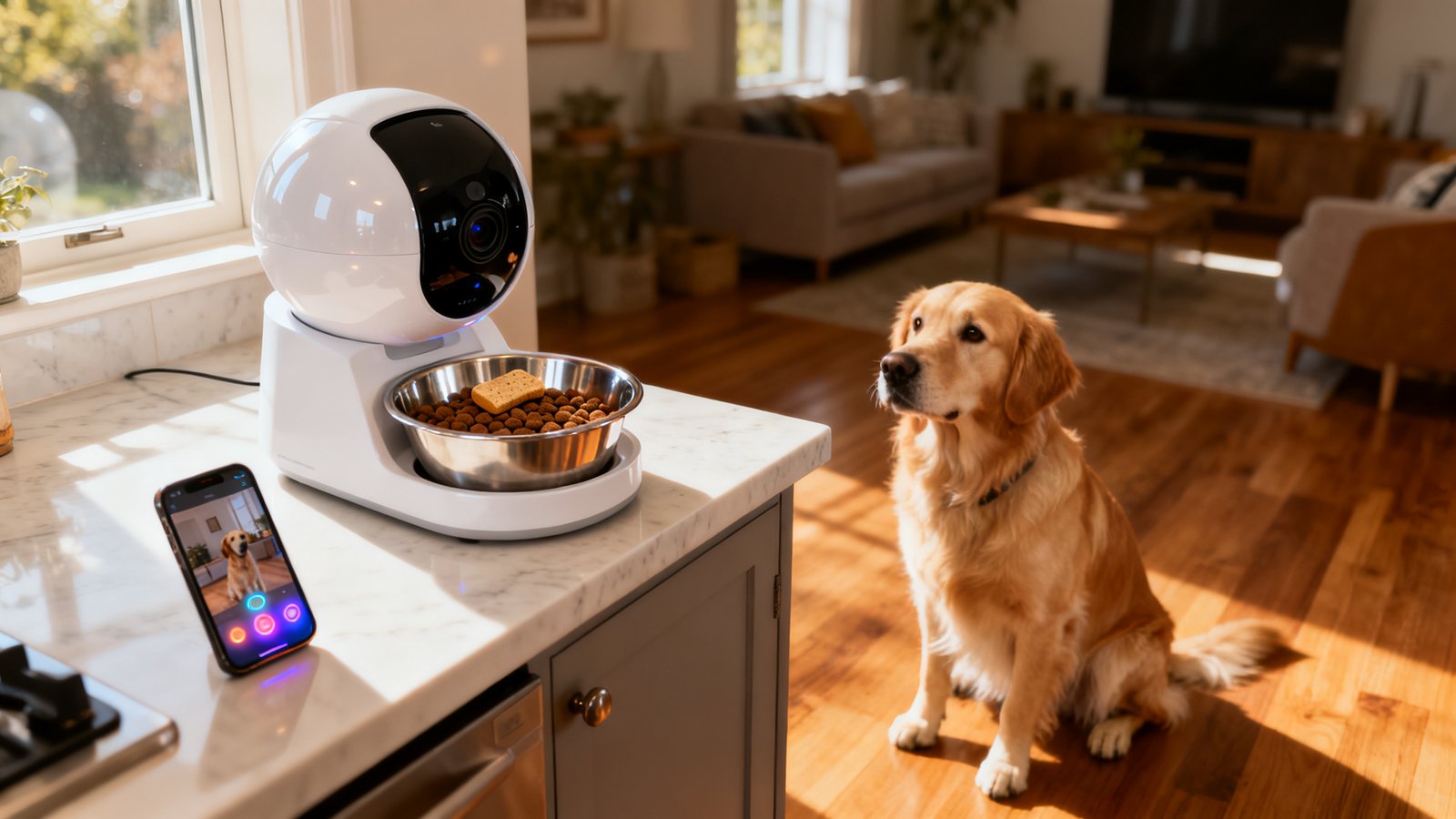
But integration comes with trade-offs. A combined unit means the camera angle is fixed to the feeder’s position, which is almost always at floor level. You will not get a sweeping view of the room the way a Furbo 360° rotating camera provides. If the WiFi module fails, you lose both feeding control and video simultaneously. And repair or replacement means losing both functions at once. Separate devices let you swap out a broken camera without touching the feeder and vice versa. If your primary concern is monitoring your pet while at work across multiple rooms, a standalone pan-and-tilt camera paired with a basic timed feeder may serve you better. If your priority is confirming meal delivery from one vantage point, the combo unit is the cleaner solution.
Market snapshot — what the public data CAN and CANNOT tell you
If you are searching for the best pet feeder camera combo 2026, you will find no shortage of roundup articles listing top models. What you will not find are transparent unit sales figures, revenue breakdowns, or large-scale reliability statistics. Review sites such as Reviewed have named the WOpet SmartFeeder as “Best Overall,” but that designation comes from hands-on testing and feature comparison, not from market share data. Public reviews, independent tests, and vendor spec sheets through 2025 are currently the best signal we have of popularity and real-world reliability.
This matters because products can disappear quietly. Consider a parallel from the GPS collar market: Whistle GO Explore devices were discontinued in 2025 and are no longer supported by the companion app. Owners who relied on those collars woke up to bricked hardware with no recourse. A pet feeder camera WiFi device carries a similar dependency on active app support and cloud infrastructure. Before buying, check whether the brand has a track record of maintaining firmware updates over multiple years. A model that appeared in every 2024 roundup might be abandoned by late 2026.
The absence of hard sales data also means that “most popular” lists are shaped by affiliate incentives and review-unit availability as much as by genuine consumer satisfaction. Cross-reference at least three independent sources before trusting any single “best of” label. Look for reviewers who disclose their testing methodology and mention negatives explicitly, not just a bullet list of features copied from the product page.
Common failure modes buyers should watch for: video latency and treat jams
Two complaints appear so consistently across automatic dog feeder with camera reviews that they deserve their own section: video latency and feeding mechanism failures. Neither shows up on a spec sheet.
Video latency is the delay between what your dog is doing and what you see on your phone screen. The WOpet app, for instance, has been noted by reviewers to show occasional lag when switching between the live camera view and the scheduling interface. That gap matters. If your dog is showing signs of distress or illness, a 5-second delay is manageable. A 20-second freeze while the app buffers is not. Latency typically stems from two sources: network congestion on a crowded 2.4GHz band and inefficient app architecture that does not handle stream switching gracefully. There is no published latency benchmark for any model on the market, so you will need to test this yourself during the return window.
Feeding failures are equally frustrating and often more consequential. A WiFi dog feeder treat camera that uses a toss mechanism, like the Furbo 360°, can scatter treats unpredictably. Reviewers report treats landing behind furniture, bouncing under couches, or rolling into corners where the dog cannot reach them. More critically, treat-toss cameras are not designed for full meals. For measured kibble dispensing, hopper-based models dominate, but they introduce their own failure mode: clumped kibble. Moisture, humidity, or simply the shape of certain dry foods can cause pieces to stick together inside the hopper, preventing the dispensing mechanism from turning. Reviewers consistently identify clumped or moisture-damaged kibble as the leading cause of missed meals. PETLIBRO addresses this with a twist-lock lid that seals against humidity, but no design is entirely immune.
Connectivity & power — why dual-band WiFi and battery backup matter
Most smart dog feeder with camera models on the market today still ship with 2.4GHz WiFi only. That list includes the PetSafe Smart Feed, the Furbo 360°, and many WOpet camera feeder configurations. The 2.4GHz band offers longer range through walls but is also the most congested frequency in the average household. Microwaves, baby monitors, Bluetooth speakers, and neighboring routers all compete for the same spectrum. When interference spikes, your video feed stutters or drops entirely — exactly when you might need it most.
PETLIBRO’s Granary line is one of the few that supports dual-band 2.4/5GHz WiFi at the time of writing. That 5GHz option provides a cleaner channel with less interference, though at a somewhat reduced range. If your feeder sits within 30 feet of your router without multiple walls in between, 5GHz is the better choice for low-latency video.
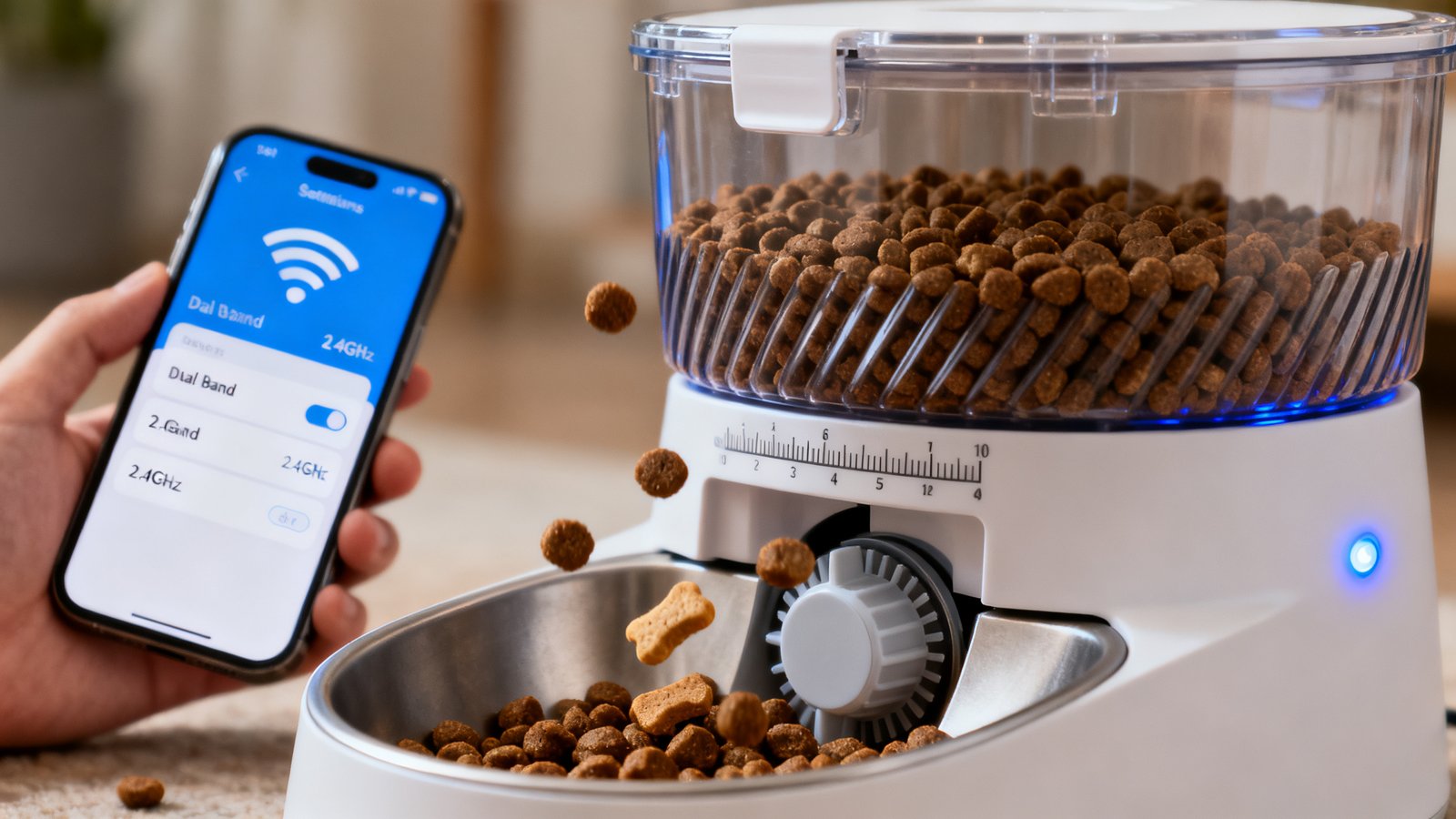
Battery backup is the other specification that gets overlooked until the power goes out. PetSafe’s Smart Feed includes AA battery backup, which is a genuine differentiator. PETLIBRO and Furbo lack integrated battery backup entirely. WOpet’s backup support is inconsistently reported across different model versions, so verify this explicitly for the specific SKU you are considering. Without backup power, a tripped circuit breaker or overnight outage means your dog misses a meal, and you may not even know it happened until you check the logs.
Price tiers and what to expect for each budget
The best pet feeder camera combo 2026 search yields results across three broad price bands, and understanding what each band actually delivers will save you from overpaying for features you will never use or underbuying and discovering critical gaps a month in.
| Device | WiFi Band | Battery Backup | Treat/Feeding Type | Price | Cloud Fee |
|---|---|---|---|---|---|
| WOpet SmartFeeder | 2.4GHz only | Inconsistently reported | Hopper-based feeding + camera | $79.99–$149.99 | Optional (details vary) |
| PETLIBRO Granary | Dual-band 2.4/5GHz | None | Hopper-based + anti-clump lid | $99.99–$139.99 | Optional (SD card supported) |
| PETKIT / Instachew | 2.4GHz (typical) | Varies by model | Hopper-based + camera | $92–$110 | Not specified |
| PetSafe Smart Feed | 2.4GHz only | AA battery backup | Hopper-based (no camera) | ~$130–$160 | N/A (no camera) |
| Furbo 360° | 2.4GHz only | None | Treat-toss only (no meal feeding) | ~$210 | $6.99/mo or $69/yr |
Entry-level models in the $80–$110 range, such as WOpet’s base camera feeder and some PETKIT units, typically deliver 1080p video, basic night vision, and app-based scheduling. You may sacrifice dual-band WiFi, battery backup, and local storage at this tier. Mid-range units around $120–$150 add better build quality, anti-clump hopper designs, and occasionally dual-band WiFi. The premium tier above $180, represented primarily by Furbo, shifts the functionality toward treat interaction rather than meal dispensing. A Furbo at $210 is an engagement device, not an automatic dog feeder with camera in the meal-replacement sense. Know which category you are buying into before comparing prices.
Ongoing costs to budget — cloud storage and subscription models
The upfront price of a pet feeder camera WiFi device is only part of the total cost. Cloud storage subscriptions are where manufacturers build recurring revenue, and the pricing is not always transparent on the product page. Furbo’s optional subscription for AI alerts and cloud video storage runs $6.99 per month or $69 per year. That adds $210 to the total cost over three years on top of the $210 device price, nearly doubling your investment. Other brands offer optional cloud storage but have not published specific monthly pricing in the sources reviewed, which is itself a red flag. If a company will not tell you the subscription cost before you buy the hardware, assume it will be higher than you expect.
The alternative is local storage. Several smart feeder with video monitoring models support microSD cards, typically up to 128GB or 256GB. A one-time $15–$25 SD card purchase eliminates recurring fees entirely. The trade-off is that you cannot access recorded footage remotely unless the app supports remote playback from the SD card, which varies by brand. PETLIBRO supports local SD storage as an alternative to cloud plans. Before buying, confirm whether the app allows remote viewing of SD card footage or whether local storage means you must physically remove the card to review video. The latter is nearly useless for a device you buy specifically for remote monitoring.
Buying checklist — the non-negotiable specs and tests to run
Use this checklist when evaluating any smart dog feeder with camera. If a model fails on more than two of these points, cross it off your list.
- Camera resolution and night vision: Minimum 1080p. Infrared night vision should illuminate clearly at 10–15 feet, which covers a typical feeding area. Grainy 720p footage will not let you distinguish between your dog eating and your dog sniffing the bowl.
- App latency test: During the return window, open the live feed and switch between camera view and scheduling screen five times. Any freeze longer than 3 seconds is a fail. Test on both WiFi and cellular data.
- Dual-band WiFi: 2.4GHz-only is acceptable if you have a clean channel, but 5GHz support is a strong future-proofing feature. PETLIBRO Granary is the standout here; most competitors are 2.4GHz-only.
- Battery backup or workaround: Integrated battery backup is rare. PetSafe includes AA backup. For other models, plan for an external power bank with pass-through charging as a contingency.
- Anti-clump hopper design: Look for twist-lock lids, desiccant packs, and wide dispensing channels. PETLIBRO’s twist-lock lid is explicitly designed to prevent moisture ingress. Clumped kibble is the top cause of missed meals.
- Treat mechanism type: Decide whether you need meal dispensing or treat tossing. A treat-tossing camera like Furbo is not a meal feeder. If you want both measured meals and occasional treats, some WOpet models combine a hopper with a separate treat compartment.
- Local SD vs. cloud storage: SD card support saves recurring costs. Verify remote playback capability before relying on it.
- Subscription pricing clarity: If the cloud plan pricing is not listed on the product page or readily available in the app description, contact support and get a written answer before purchasing.
- Warranty and support responsiveness: Send a pre-sale question to customer support. If they do not respond within 48 hours, consider how that will feel when your feeder malfunctions on a Saturday evening.
Shortlist recommendations by buyer need
Here is how the current best pet feeder camera combo 2026 contenders map to specific use cases, based on the features and limitations documented above.
Best overall value: WOpet SmartFeeder, priced around $79.99–$149.99 depending on the camera-equipped version. The feeding mechanism is described as reliable in reviews, and it delivers the core combo of scheduled meals plus live video. The trade-offs are 2.4GHz-only WiFi and inconsistent battery backup reporting. Verify the backup feature on your specific model before relying on it.
Best connectivity: PETLIBRO Granary at $99.99–$139.99 is the only model in this comparison with confirmed dual-band 2.4/5GHz WiFi. The twist-lock anti-clump lid adds genuine reliability for humid environments. No battery backup is the main gap; mitigate with an external power bank.
Best treat interaction camera: Furbo 360° at roughly $210 is a treat-toss camera, not a meal feeder. If your primary goal is engaging your dog with treats and you already have a separate feeding solution, the rotating camera and barking alerts are the main draws. Budget $6.99/month for cloud storage if you want AI alert features.
Best fail-safe power: PetSafe Smart Feed includes AA battery backup, but note that it is a feeder only with no integrated camera. Pair it with a separate budget pet camera like a Eufy indoor cam for a reliable two-device setup that will not drop meals during outages.
Best mid-range alternative: PETKIT and Instachew models in the $92–$110 range offer hopper-based feeding with camera at a competitive price. Verify WiFi band support and battery backup per model, as these specifications vary across their product lines.
Messaging & content hooks for product pages or ads
If you are building or marketing a smart feeder with video monitoring, the competitive landscape gives you clear differentiation opportunities. Most top competitors are 2.4GHz-only and lack battery backup. Call those gaps out directly and honestly. A product page that says “Dual-band 2.4/5GHz WiFi with consistent low-latency video” immediately addresses the number one user complaint across competing models. PETLIBRO already uses this positioning effectively.
Transparent cloud pricing is another trust-building lever. If your device supports local SD storage with full remote playback, state that explicitly in the pricing section. A simple line like “No subscription required; use your own microSD card for continuous recording with remote access” removes the biggest anxiety buyers have about pet feeder camera WiFi products. Include a “What to expect” section in your product documentation that honestly addresses video latency under real-world network conditions and notes that treat toss accuracy varies by treat shape and weight. Buyers reward honesty because they have been burned by marketing claims that ignore these realities.
Conclusion
A smart dog feeder with camera is one of the most practical investments a busy pet owner can make, but only if the device holds up under real-world conditions. The market in 2026 is filled with options that look nearly identical on a product page but diverge sharply in reliability once unboxed. Prioritize dual-band WiFi if your home network is congested. Demand clarity on cloud subscription costs or choose a model with functional local SD storage. Test video latency and feeding consistency within the return window. And if you need fail-safe meal delivery during power outages, either buy a model with integrated battery backup or have an external power bank ready. The difference between a device that gives you peace of mind and one that adds to your stress comes down to checking the specifications that marketing pages tend to gloss over.
Ready to compare specific models? Check out our detailed best pet camera 2026 guide and pet camera treat dispenser comparison for deeper dives into individual units. And if you are also considering a GPS tracker for walks and outdoor safety, our best GPS tracker for dogs 2026 roundup covers the subscription-free options worth your attention.
Frequently Asked Questions
Can a smart dog feeder with camera work without WiFi?
Most models require WiFi for remote video and app-based scheduling. Some feeders can execute pre-programmed meal schedules offline if they have onboard memory and battery backup, but you will lose live camera access and remote control entirely when WiFi drops. Check the specific model’s offline behavior before buying if your internet is unreliable.
Do I really need dual-band WiFi for a pet feeder?
2.4GHz-only works in many homes, but if you live in an apartment building or a dense neighborhood with dozens of competing networks, the 2.4GHz band can become congested enough to cause video dropouts and delayed feeding commands. Dual-band 2.4/5GHz gives you the option to switch to a cleaner channel. It is not essential, but it is a meaningful reliability upgrade for about $20–$30 more at purchase.
Is Furbo a full meal feeder or just a treat dispenser?
Furbo is a treat-tossing camera only. It cannot store or dispense measured meals of kibble. If you need scheduled, portion-controlled meals, look at hopper-based models like WOpet, PETLIBRO, or PETKIT. You can use a Furbo alongside a separate automatic feeder for interactive engagement during the day.
How do I prevent kibble from clumping inside the feeder?
Use a model with a twist-lock or airtight lid such as the PETLIBRO Granary. Add a food-grade desiccant pack inside the hopper and avoid filling the hopper to maximum capacity in humid environments. Check the dispensing channel weekly for crushed kibble dust, which accelerates clumping. Smaller, uniform kibble shapes dispense more reliably than irregular or large pieces.
Are there any smart dog feeders with built-in battery backup?
PetSafe Smart Feed includes AA battery backup, but it lacks an integrated camera. Most camera-equipped models do not have built-in rechargeable battery backup. You can work around this by plugging the feeder into an external USB power bank with pass-through charging capability. Test the setup before relying on it during an actual outage.