

Smart home setup pet owners are changing the way busy households care for dogs and cats—but most guides make automation sound easier than it is. Here’s how to build a pet-centered smart home that actually works day after day, with actionable troubleshooting from the start.
Key Takeaways
- Plan your smart home for specific pet needs, not just gadgets—think safety, remote monitoring, health, and day-to-day reliability.
- Expect real-world hiccups: Wi-Fi drops, device jams, privacy risks, and the challenge of managing multiple pets or platforms.
- Step-by-step integration and staged testing are crucial—don’t automate everything at once, and always have a manual backup for critical needs.
- Why build a pet-focused smart home?
- Plan your ecosystem first: goals, network, and hub strategy
- Essential device categories and where they fit (feeding, monitoring, safety, enrichment, health)
- Quick buying checklist: specs that matter
- Step-by-step integration with major ecosystems
- Real-world problems pet owners report (and how to prevent/fix them)
- Multi-pet households: profiles, identity, and behavior management
- Privacy, security, and data handling for pet cameras and wearables
- Training pets and maintenance routines (to make automation stick)
- Energy, cost and ROI considerations
- Recommended starter builds for common households
- 30-day rollout checklist and testing protocol
- Appendix: Troubleshooting quick fixes and escalation
- Further reading and credible sources
Why build a pet-focused smart home?
Done right, a smart home setup for pet owners offers practical benefits: safety (alerts for escapes or fire), remote monitoring (check on pets or pet sitters), automated feeding and basic enrichment, and even health/event tracking via collars or cameras. But reliability and day-to-day maintenance matter most. Automation isn’t about “setting and forgetting”—expect to troubleshoot network drops, firmware updates, and jammed devices at least occasionally.
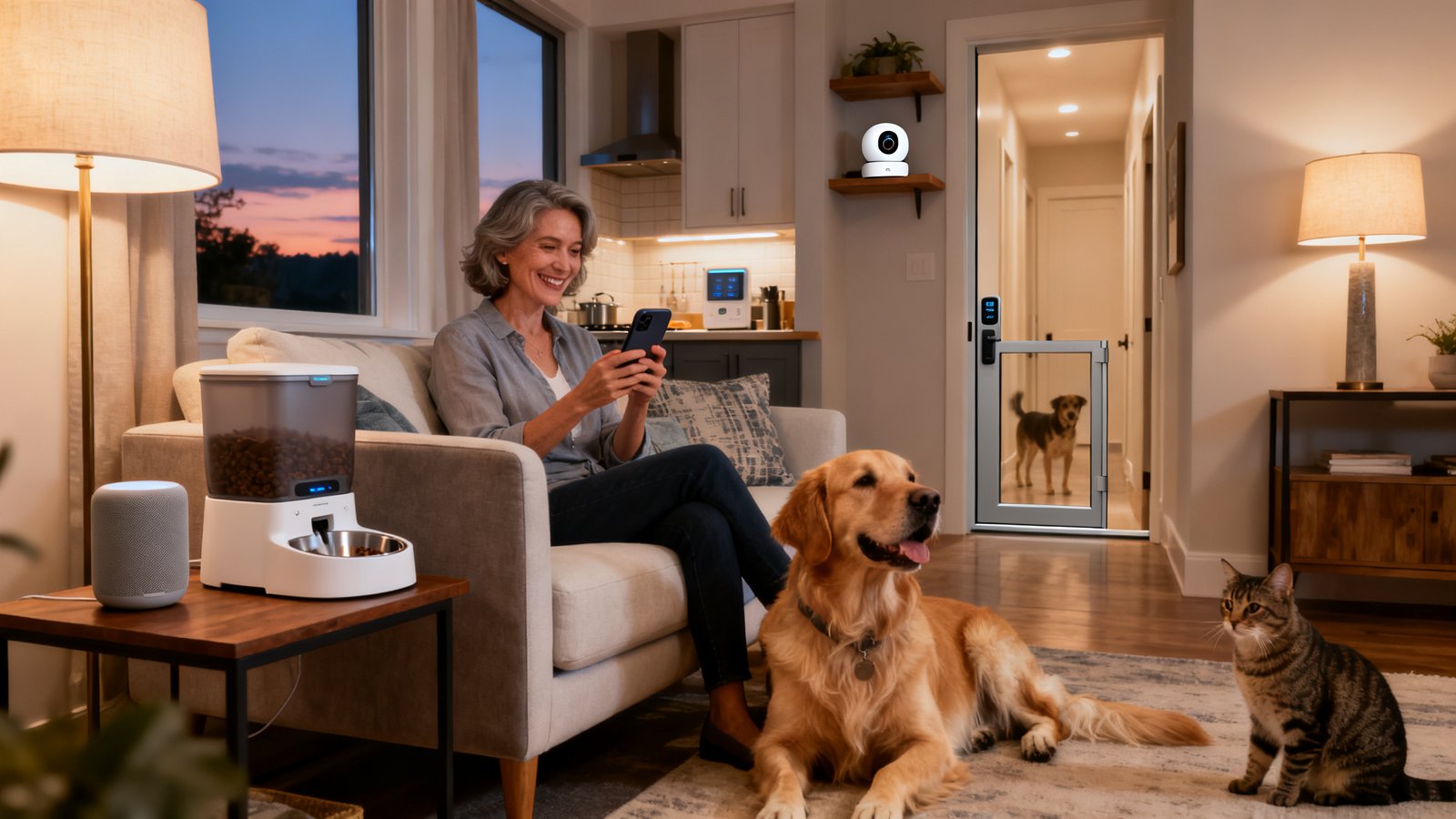
In 2024, around 75% of U.S. pet households had at least one smart-home pet device. Smart-home adoption reached 93% of homes overall [1]. Pet automation isn’t a fringe hobby—it’s mainstream, but reliable daily use takes more than just plugging in new tech.
Plan your ecosystem first: goals, network, and hub strategy
Map your goals before buying any hardware. Prioritize: is your goal safety (monitor entries/exits and indoor climate), convenience (feeding, water, or routine checks), or health and enrichment (monitor weight, offer play, etc.)? Next, check your home’s Wi-Fi coverage, especially at pet feeding stations, common pet areas, and exit points. Weak signal is a top cause of device failure.
Decide if you’ll trust your pet’s care to cloud-only devices (risk: internet outage stops critical features) or prefer local/hub-based setups. Many smart home pet friendly devices—like Aqara or Sure Petcare feeders and doors—require their own hub, which can be a major pain for reliability if the hub goes offline [10]. Avoid single points of failure where possible. If you use smart plugs or battery backups, verify their compatibility with your pet devices.
Common owner complaint: Multiple hubs (sometimes one per brand) and unreliable Wi-Fi can leave tech-savvy pet owners locked out of the app—or worse, interrupt feeding or monitoring during travel.
Essential device categories and where they fit (feeding, monitoring, safety, enrichment, health)
Here’s how core use-cases map to the best smart home gadgets for pet owners:
- Feeding: Automated feeders and waterers (Wi-Fi or microchip-activated) are most popular for consistent meals. Watch for models that let you monitor remaining food and cleaning reminders. See our full guide to automatic cat feeders for critical buying tips.
- Monitoring: Two-way cameras (like Furbo or Petcube) let you check in, talk to pets, and even toss treats. Combo devices reduce cable clutter. Best pet camera picks for 2026 cover accuracy, treat-dispensing, and privacy modes.
- Safety: GPS/health collars (Garmin, Tractive, Fi, Halo) provide location and wellness data. Microchip-enabled doors allow selective access—great for multi-pet homes. Read our deep comparison of GPS trackers—no subscription required.
- Enrichment: Interactive toys and treat dispensers offer mental stimulation. Smart litter boxes ease cleaning—a top pain point for cat owners. Explore 2026’s best automatic litter boxes.
- Health: Wearable trackers and smart scales help monitor older, ill, or overweight pets. For cats, these GPS trackers now fit collars under 10 pounds.
Data in 2024: Automated feeders, two-way pet cameras, GPS/health collars, microchip-enabled smart pet doors, interactive treat dispensers, and self-cleaning litter boxes were named as the most-used pet tech devices [8].
Quick buying checklist: specs that matter
- Compatibility: Does it work with Alexa, Google Home, or Apple HomeKit? Does it need a unique app or hub? Smart home pet friendly automation is easier when everything speaks the same “language.”
- Power/Battery: Battery life matters—especially for wearables and cameras in rental apartments. Is there a manual backup for feeders in case of power loss?
- Safety/Design: Look for anti-jam mechanisms in feeders, removable parts for cleaning, and fail-safe modes for doors and toys.
- Sensors & Recognition: Microchip doors are better than collar-activated ones for multi-pet households (fewer false triggers). Camera privacy modes can be essential if you have visitors.
- Refill/Jam Risk: Is food dispensing reliable and easy to override manually?
Stat: In 2024, about 38% of pet households had tried a smart feeder or pet camera for remote monitoring [2]. Poor compatibility or failing jam sensors is a top reason for early device returns. Always check reviews for reliability on multi-day use, not just initial setup.
Step-by-step integration with major ecosystems (Alexa, Google, Apple HomeKit)
Device integration is the least-covered—but most important—part of a reliable smart home setup for pet owners. Here’s a realistic process:
- Add only one new device at a time to your ecosystem (Alexa, Google Home, or Apple HomeKit). Open the main app, tap “Add Device,” and follow prompts for your brand.
- Map devices to rooms or pet zones: name your feeder “Dog Feeder,” your camera “Living Room Pet Cam,” etc.
- Test automations one by one. Example: For Alexa routines for pets, create a new routine—triggered by motion detected on camera. Add actions: turn on lights, dispense food from the feeder, or send a phone notification.
- If your new device requires a separate app or hub (like some feeders or doors), check if there’s an official skill/integration for your voice assistant. If not, consider a manual routine or automation.
- Stagger the rollout of multiple devices so you can troubleshoot before making it complex. Document which devices need the internet, which can work offline, and what happens if the Wi-Fi drops.
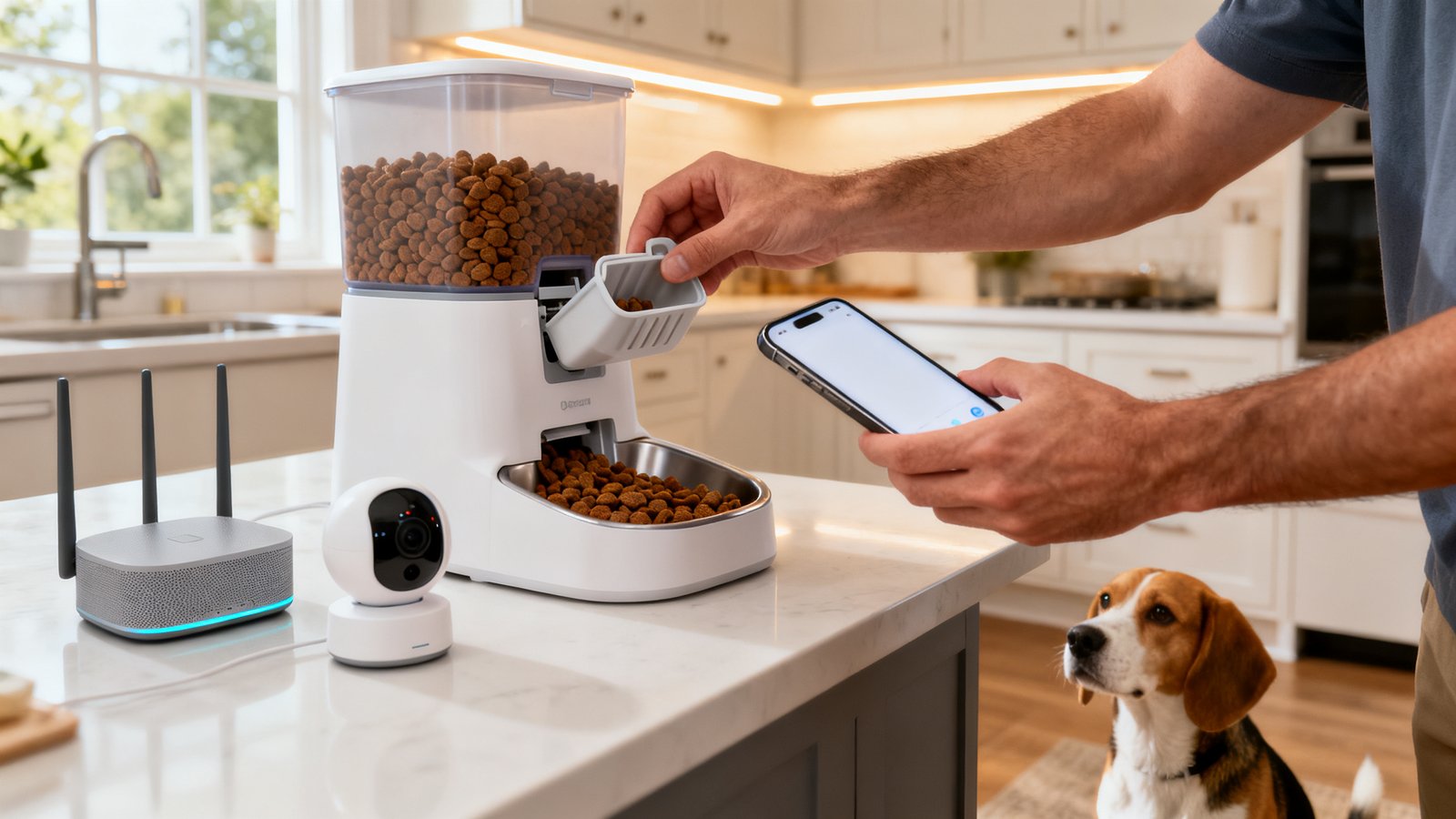
Tip: Many pet owners use camera-triggered routines to only dispense treats or meals when motion is detected, avoiding overfeeding and making pet tech more interactive.
Real world: Owners frequently report trouble syncing devices across ecosystems, especially if using Apple HomeKit with niche brands or integrating older feeders/cameras. Always check brand forums for workaround guides and official support FAQs.
Real-world problems pet owners report (and how to prevent/fix them)
Even with the best smart home setup for dogs and cats, common pitfalls exist:
| Problem | Root Cause | Quick Fix/Prevention |
|---|---|---|
| Device disconnects (feeding/monitoring halts) | Poor Wi-Fi/mesh coverage, overloaded hubs | Relocate router/hubs, add mesh node, use wired ethernet if possible |
| Jammed feeder or over-dispensing | Poor food/kibble shape, device not cleaned | Switch to uniform kibble, clean device weekly, keep jam sensor enabled |
| False motion alerts/drained battery | Camera too sensitive, direct sunlight, pet toys | Lower alert sensitivity, reposition, use activity “zones” |
| Syncing failures across Alexa/Google/HomeKit | Brand doesn’t support all platforms, firmware lag | Stick to brands with broad integration, update firmware monthly |
| Wearable battery dies quickly | Constant GPS pinging, old battery | Set longer tracking intervals, buy spare charger |
| Privacy concerns (continuous video/audio) | Default “always on” settings, cloud recording | Enable privacy mode, use local storage, change default passwords |
Owners often overlook manual fallback plans. Always test what happens if your smart feeder jams, the Wi-Fi disconnects, or your camera app won’t load. For many, the first “automation failure” is stressful—but good setup makes it easy to recover.

Multi-pet households: profiles, identity, and behavior management
Getting pet friendly smart home automation right in a multi-pet home takes a few extra steps:
- Use microchip or collar-enabled feeders and pet doors to ensure food and access is only given to the right animal.
- For cameras, choose models that support multi-pet recognition or allow you to tag animals so false alerts don’t wear you out.
- Stagger feeding routines and automate only the basics first—test for resource guarding or bullying before automating everything.
- Add new automation one device at a time and supervise the first few uses to avoid mishaps (eating each other’s food, getting locked out, toy hoarding).
Most top guides skip these nuances, but research shows multi-pet device management is a major pain point—especially for cats and dogs sharing the same home.
Privacy, security, and data handling for pet cameras and wearables
Few owners realize that pet cameras, collars, and doors are always-on, internet-connected sensors—subject to the same privacy and hacking risks as any smart cam. Secure your smart home pet friendly devices by:
- Changing default passwords on every device and router.
- Enabling 2FA (two-factor authentication) everywhere available—even on feeder or camera apps.
- Setting cameras to use privacy mode or muting microphones when home.
- Choosing devices with local SD card recording over cloud-only storage when possible. Share live feeds or data only when needed for visitors/vets.
- Regularly checking the access list—remove ex-roommates, pet sitters, or ex-partners from device permissions.
Surveys show many pet owners are uncomfortable with always-on streams in their homes; some have switched brands or taken cameras offline during sensitive periods. Always audit your device’s privacy policy and settings the month after installation.
Training pets and maintenance routines (to make automation stick)
The best smart home setup for dogs and cats depends on your pets learning new routines—and on you keeping devices working:
- Introduce new tech gradually; don’t automate everything on day one.
- For feeders, start with manual dispensing watched by you, then switch to full automation as pets adapt.
- Let pets sniff and get used to cameras, doors, and moving/interactive toys while they’re off, to reduce anxiety.
- Clean feeder and water fountain parts weekly (jammed parts are the #1 cause of device failure). For cameras, clean lenses monthly.
- Schedule firmware and app updates monthly to prevent device lag or disconnects.
- Make a manual food and water backup plan for travel or outages—never trust a single device with your pet’s needs until you’ve tested real-world failure and recovery.
Gradual rollout and ongoing maintenance dramatically cut failed automation and pet anxiety. Top advice: clean feeders weekly, update software monthly, and teach pets via positive reinforcement [7].
Energy, cost and ROI considerations
Most guides highlight high-tech wins but skip running costs, energy impact, and subscriptions. Here’s what matters:
- Upfront vs Ongoing Cost: Factor device price, hubs, and necessary subscriptions (for GPS/camera cloud). Subscription fees are one of the most common pain points cited in our GPS tracker for dogs buyer’s guide.
- Energy Use: Continuous cameras, doors, and routers add to your electric bill. To offset, use smart thermostats; these cut HVAC costs by up to 9% annually [4]—and can help keep climate ideal for brachycephalic (short-nosed) breeds or heat-sensitive cats.
- Careful Budgeting: Avoid “bundle pricing” features you won’t use. Watch for recurring charges after free trials, especially for activity or GPS data storage.
- ROI Thinking: Automation saves time (feeds, entries, checks) and may prevent expensive emergencies (runaways, pet illness), but some gadgets create more hassle than help if not maintained.
Full energy audits are rare in pet tech blogs—adjust your device habits to balance peace of mind and utility costs. Check apps monthly for power consumption if supported.
Recommended starter builds for common households
Here are three minimal but effective plug-and-play setups, informed by 2024 usage trends (45% using Wi-Fi/Bluetooth collars, 38% feeders/cameras):
- Solo Dog: Smart GPS collar (Tractive or Fi), combo feeder/camera (like Furbo 360), basic smart plug for power cycling. Connect via Alexa or Google. No hub required unless expanding.
- Apartment Cats: Wi-Fi camera (Eufy or Petcube), microchip-activated feeder, smart litter box (see best smart litter boxes). Prefer HomeKit for privacy if iPhone household. Mesh Wi-Fi helps in large apartments with multiple cats.
- Multi-Pet Family: Mix of collar-activated doors, feeders able to filter by microchip or scheduled access, multiple cameras zoned by room. Use at least one hub (Aqara/Sure Petcare for feeders/doors). Stagger onboarding to avoid overwhelming pets or you.
Roll out each setup in phases over two weeks, documenting what works/fails and reviewing device logs for issues. These combos minimize recurring fees and offer manual backups for core needs.
30-day rollout checklist and testing protocol
- Week 1: Map Wi-Fi coverage, identify dead zones in pet areas. Test core devices with manual backup (feeders, doors, cameras).
- Week 2: Add the most critical device first (usually feeder or GPS collar). Set up notifications and privacy modes. Run power-failure and Wi-Fi-loss tests to verify fallback.
- Week 3: Install secondary devices (cameras, litter boxes, toys). Begin training your pet with positive reinforcement as you add features. Check all automations daily for bugs.
- Week 4: Fine-tune routines/alerts for real usage. Review device and app logs for errors. Test multi-pet scheduling, manual overrides, and check integration across Alexa/Google/HomeKit.
More than 38% of pet homes tested feeders or cameras before committing in 2024 [2]—treat this month as a dry run before you automate your entire pet home.
Appendix: Troubleshooting quick fixes and escalation
- Power cycle order: always reboot router first, then hub, then device.
- Mesh placement: Place nodes closer to feeders, doors, and cameras—avoid hiding hubs in closets or behind metal appliances.
- Check device and app logs for error codes after any event (feeding failure, disconnect).
- Factory reset workflow: Only after all other steps—document your app settings before wiping devices.
- Vendor escalation: Contact support with device serial, firmware version, and detailed logs/screenshots for fastest triage.
- Manual fallback: Leave dry food/water and a visible note for pet sitters if tech ever fails while you’re away—never assume automation is infallible.
The majority of issues (connectivity, jams) are solvable with basic steps—resist the urge to panic, and reference your adopted workflow from month one. [6]
Further reading and credible sources
If you want to get deep into stats, troubleshooting, or technology trends for your smart home setup pet owners project, start here:
- AHS 2024 Smart Home Survey – Penetration data and market trends.
- CEDIA Knowledge Hub – Insightful blogs and real owner interviews.
- Congruence Market Insights: Pet Tech Market – Application rates for feeders, cameras, and more.
- GenSecurity’s Guide for Pet Owners – Automation safety and monitoring.
- Best GPS Tracker for Dogs: Subscription-Free Guide – For integration, cost, and energy breakdowns by device type.
Surveys show over 60% of urban pet owners want devices that work with their smart home system and mobile app—these sources will help you avoid product lock-in and stay secure as you scale up.
FAQ
What is the most reliable smart pet feeder for multi-pet households?
For multi-pet homes, microchip-enabled feeders (like Sure Petcare) ensure only the right animal can access each meal. Look for devices with anti-jam design, manual override, and compatibility with your chosen hub or app. Always stagger rollouts so pets have time to adjust.
How do I stop Wi-Fi drops from interrupting pet feeding or monitoring?
First, map your Wi-Fi coverage and add a mesh node near your feeders or cameras. Use a local hub or battery backup where possible, and always test a manual override for feeders before leaving home for an extended time.
What are the privacy risks with pet cameras and collars?
Pet cameras and collars are always-on internet-connected devices and can stream video/audio to the cloud. Change default passwords, enable privacy modes when home, and check who has device access. Where possible, use local storage instead of cloud-only recording.
How do I integrate my smart pet device with Alexa routines?
Most feeders and cameras offer Alexa/Google integrations via skills or respective apps. Use your voice assistant app to add the device, then build routines that trigger feeding, treat dispensing, or camera activation based on motion, timers, or your commands.
Can I trust smart devices to care for my pets if I travel?
Never fully rely on automation without testing it extensively. Always have a manual backup feeding/watering plan, inform a neighbor or pet sitter, and use app notifications to monitor device success. Most failures are due to jams or Wi-Fi cuts just when you’re away.